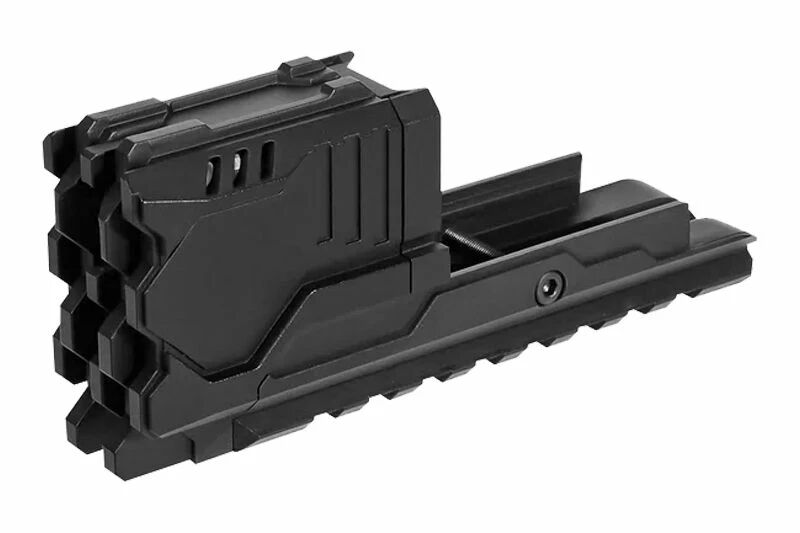
Pour la fonction traceur, il vous faudra utiliser de la bille traçante verte plastique ou biodégradable avec le compensateur avec tracer unit pour Glock 17 Gen4 / G17 Gen5 MOS Laylax.
Le viveau de batterie : Le niveau de batterie restant peut être vérifié à l’aide de l’indicateur d’état situé à l’intérieur du traceur. - Voyant vert : Niveau de batterie supérieur ou égal à 60 % - Voyant orange : De 30 % à 60 % - Voyant rouge : Moins de 30 %.
Une fois l'appareil allumé, vous pouvez changer de mode en maintenant le bouton Marche/Arrêt/Paramètres enfoncé pendant 3 secondes. - Un bip et voyants bleu et orange → Mode Muzzle Flash + Traceur - Deux bips et voyants orange → Mode Muzzle Flash seul - Trois bips et voyants bleus → Mode Traceur seul
Le voyant clignote lentement pendant le chargement du compensateur avec tracer unit pour Glock 17 Gen4 / G17 Gen5 MOS Laylax. Une fois le chargement terminé, le voyant s’éteint.
Contenu du produit
1 x Compensateur avec Tracer Unit pour Glock 17 Gen4 / G17 Gen5 MOS Laylax
Features
Tactital accessories
ModelCompensator with Tracer Unit
BrandLaylax
CompatibilityGlock 17 Gen 4 / Glock 17 Gen 5 MOS
MountingPicatinny
Dimensions120 mm
CompositionPolymer
Weight60 g
ColorBlack
You must enable cookies to use this site.
To find out how to enable cookies on your browser, go to the following page: